Zap'T'Balls II — Pang, over a lake Runs here
1994 · Richard F. Bannister · Mac OS 8 · SheepShaver (Power Macintosh 9500) · 800×600 at 8-bit colour
Guide updated September 2026
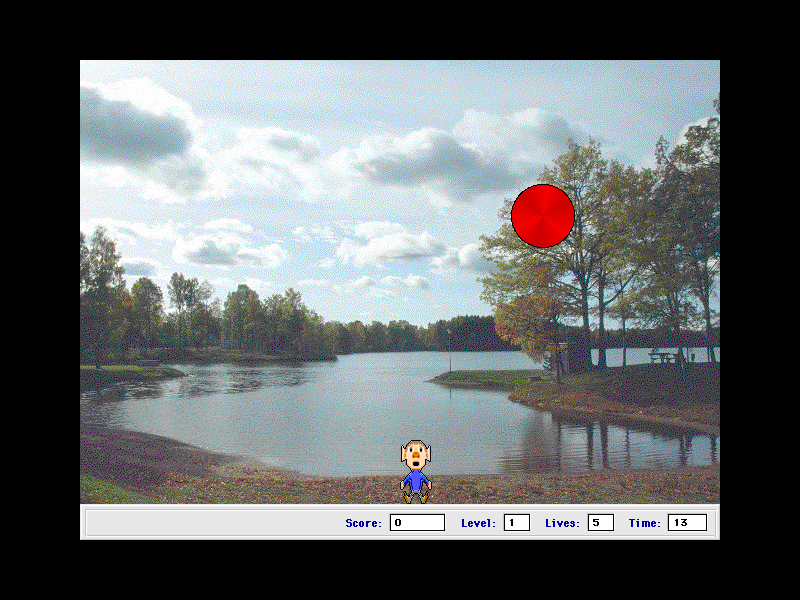
A large red ball bounces across a photograph of a lake. You are a small man at the bottom of the screen with a harpoon. Hit the ball and it splits in two smaller ones; hit those and they split again; keep going until nothing is left, and do not let any of them land on you. That is Pang — Super Buster Bros. in the United States — and Zap'T'Balls II is Richard Bannister's Macintosh version of it.
By his own account he wrote it because he could not afford a copy of the Amstrad CPC game of the same name, and used it to learn C. He came back to it in 2002 to fix a scoring bug one registered user would not stop reporting, and this is that last version.
Boots Mac OS 8.6 and opens Zap'T'Balls II on its title card. Choose File → New Game → Normal Mode to play.
Controls
| File → New Game | Start (Normal Mode or Help! Mode) |
| Arrow keys | Move |
| Space | Fire |
| Cmd-S | Sound on or off |
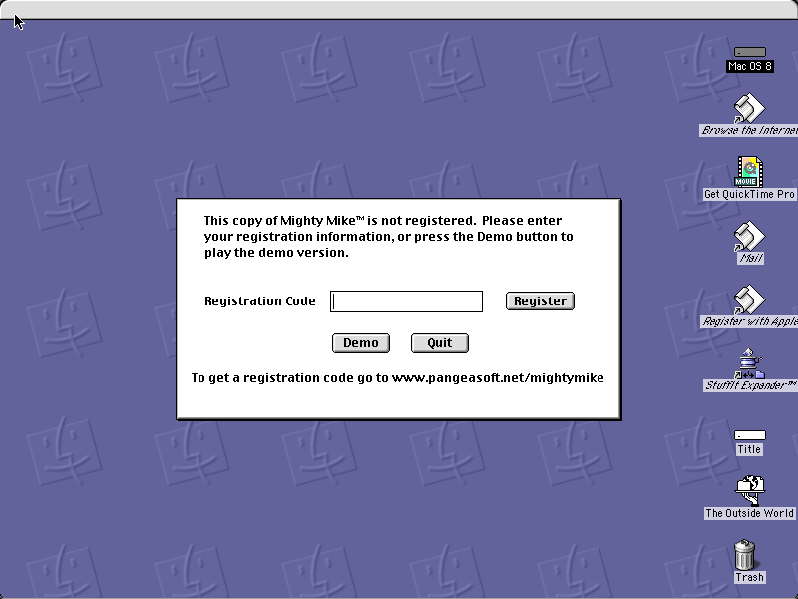
Shareware, distributed freely by its author through the shareware archives. This copy is the unregistered v2.5 release, unmodified, with its readme and Register application intact.
Archives
- Internet Archive — the Tucows Macintosh archive copy this was built from.
- bannister.org — the author's site.
How it works & what to expect
| Machine | Power Macintosh 9500, 800×600 in colour |
|---|---|
| System | Mac OS 8.6, shared with every other title of this era |
| Emulator | SheepShaver, compiled to WebAssembly |
| Saves | High scores persist inside the emulated Mac, in your browser |
The game opens on a title card of gulls over water and waits. Start from the menu bar: File → New Game → Normal Mode. Help! Mode, on the same submenu, is the gentler option.
The status bar along the bottom keeps score, level, lives and a countdown timer — the timer is the part that catches people.
Why it is worth a look
Photographs for backgrounds. Where most arcade games of 1994 drew their scenery, Zap'T'Balls uses real photographs, which gives it an odd, calm look for a game about being flattened by rubber balls.
The Sprite Animation Toolkit. It is built on Ingemar Ragnemalm's SAT, the free library behind a good part of Macintosh shareware action games in the 1990s. Richard Bannister credits it in the readme, and Space Debris, also here, uses it too.
An honest readme. Bannister describes his own graphics as terrible (of a sister game) and his old code as awful, and cut the shareware fee while he was at it. It is worth opening from the title disk.
Getting started
File → New Game → Normal Mode.
Move with the arrow keys and fire straight up. Aim for the largest ball first while there is room to work, and do not stand directly under anything.
Watch the timer; running out costs a life as surely as a ball does.
Questions people ask
How do I start a game?
From the menu bar: File, then New Game, then Normal Mode. Help! Mode is the easier variant.
Is this Pang?
It is an independently written Macintosh game in the same style as Pang, also known as Super Buster Bros. It borrows the idea, not the code or art.
Do I need to register?
No. This is the unregistered shareware release, left as it was distributed. Registration was handled through Kagi, which no longer operates.
Do high scores save?
Yes, inside the emulated Mac, in your browser.
Who wrote it?
Richard F. Bannister, who also wrote Space Debris and later a long list of Macintosh emulators.
Why does it take a while to start?
It boots Mac OS 8.6 first, from the image shared with the other late-1990s titles here.
Put Zap'T'Balls II on your own site
Free, no permission needed and no account. Paste this where you want the machine to appear; it brings its own emulator and asks nothing of your page.
<iframe src="https://macemu.com/embed/zap-t-balls/"
        width="800" height="600"
        style="border:0;max-width:100%"
        allowfullscreen
        title="Zap'T'Balls II"></iframe>
Sized to this title's real screen. How embedding works.