Prometheus — 256 colours or greys, and it asks nicely Runs here
1998 · unknown · Mac OS 8 · SheepShaver (Power Macintosh 9500) · 800×600 at 8-bit colour
Guide updated September 2026
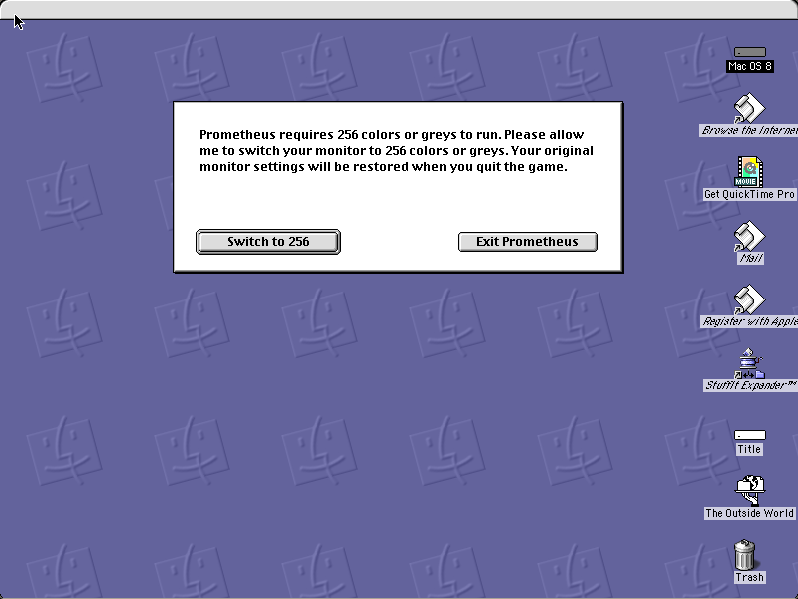
Prometheus opens with a request rather than a demand: it needs the monitor in 256 colours or greys, asks permission to change it, and promises to restore your original setting when you quit. Switch to 256, or Exit Prometheus.
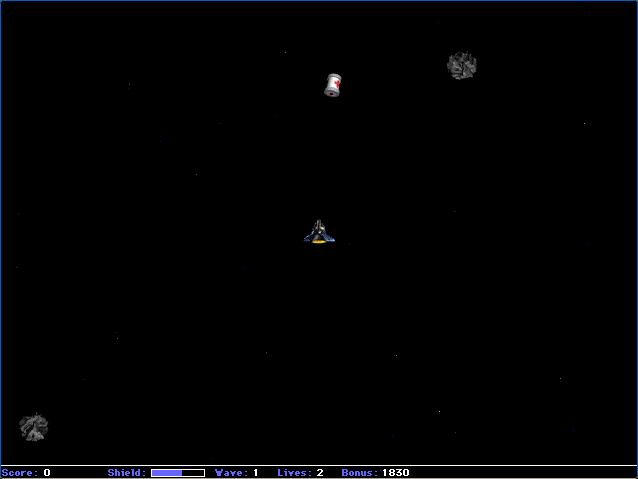
Click Switch and the game runs. It is a Macintosh arcade game of the late shareware period, and the politeness of that opening dialog is characteristic of software written by one person for an audience they expected to meet.
Boots Mac OS 8.6 and opens Prometheus, which asks to switch the monitor. Click "Switch to 256".
Controls
| Switch to 256 | Allow the colour-depth change the game needs |
| Arrow keys | Move |
| Space | Act |
| Cmd-Q | Quit to the Finder; the display is restored |
Shareware, distributed freely by its author. Unregistered and unmodified.
Archives
- Internet Archive — the Tucows Macintosh archive copy this was built from.
How it works & what to expect
| Machine | Power Macintosh 9500, 800×600 in colour |
|---|---|
| System | Mac OS 8.6, shared with every other title of this era |
| Emulator | SheepShaver, compiled to WebAssembly |
| Version | 1.3 |
| Saves | Scores persist inside the emulated Mac |
Click "Switch to 256". The monitor being changed is the emulated one, so nothing on your own machine is affected, and the game will not start otherwise.
Prometheus does not carry its own operating system; Mac OS 8.6 comes from the shared image, so it starts faster if you have already opened another Mac OS 8 title.
Why it is here
It asks, and it puts things back. Compare Blaster II, which is not on this site because it simply refuses to run and offers only a Quit button. The difference between a game that handles the colour depth for you and one that does not is the difference between being here and not.
Greys as well as colours. Supporting 256 greys alongside 256 colours meant the game worked on the greyscale PowerBooks, which a lot of authors did not bother with.
Another piece of the long tail. Prometheus was never well known. It runs, it is freely distributable, and it is a fair sample of what the Macintosh actually had on it in 1998.
Getting started
Click "Switch to 256" — the other button quits.
Play a round before reading any menus; the rules of an arcade game of this size become clear faster by doing.
Quit with Cmd-Q rather than force-quitting, which is what triggers the display restore — harmless either way inside an emulator.
Questions people ask
Why does it want to change my monitor?
It runs in 256 colours or greys. The monitor is the emulated one; your own display is untouched.
What happens if I click Exit?
The game quits. "Switch to 256" is the one that starts it.
Is it free?
It is shareware — freely distributed and playable, unregistered and unmodified here.
Do scores persist?
Yes, inside the emulated Macintosh in your browser.
Does it work in greyscale?
Yes — the dialog offers 256 greys as well as 256 colours, which mattered on greyscale PowerBooks.
Why does it take a while to start?
It boots Mac OS 8.6 first, from the image shared with the other Mac OS 8 titles here.
Put Prometheus on your own site
Free, no permission needed and no account. Paste this where you want the machine to appear; it brings its own emulator and asks nothing of your page.
<iframe src="https://macemu.com/embed/prometheus/"
        width="800" height="600"
        style="border:0;max-width:100%"
        allowfullscreen
        title="Prometheus"></iframe>
Sized to this title's real screen. How embedding works.