Ares — command a fleet, fly one of the ships Runs here
1999 · Ambrosia Software · Mac OS 8 · SheepShaver (Power Macintosh 9500) · 800×600 at 8-bit colour
Guide updated September 2026
Ares is real-time strategy in space where you are also one of the ships. You build ships, give them orders and fly in the middle of it yourself, in a campaign whose opening story begins with humanity's first interstellar ship, the Apollo.
Nathan Lamont wrote it and Ambrosia published it in 1999. This is version 1.2.0 from April 2001, on an emulated Power Macintosh.
Boots Mac OS 8.6 and opens Ares by itself. An opening story plays; click past it, then choose Start New Game. The first mission is a tutorial.
Controls
| Mouse | The ship's computer: menus, orders and selection |
| Keyboard | Fly your ship; the keys are listed and changed under Options |
| Hotkeys | Assign keys to select particular ships (added in 1.2.0) |
| Cmd-Q | Quit to the Finder |
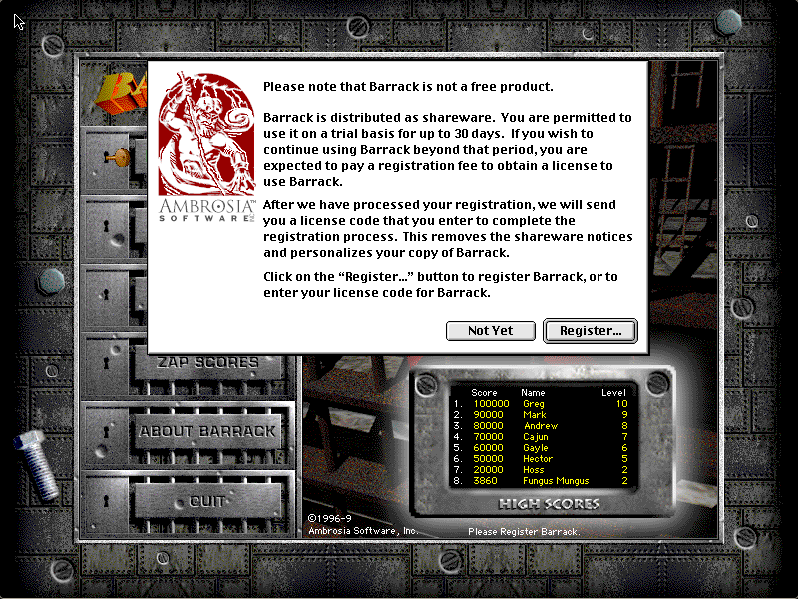
Ares is Ambrosia Software shareware. Its licence permits non-profit distribution provided the software is unmodified and the complete works are included, and both are true here. The copy is unregistered, and the shareware notice it shows is left in place. Full reasoning is in notices/ares.md.
Archives
- Internet Archive: Ambrosia Software CD 7, the company's own compilation disc, which this copy's installer came from.
How it works & what to expect
| Machine | Power Macintosh, 800×600, 256 colours |
|---|---|
| System | Mac OS 8.6 |
| Emulator | SheepShaver, compiled to WebAssembly |
| Version | Ares 1.2.0 (April 2001; first released September 1999) |
| Saves | Inside the emulated Mac, in your browser |
The first start is the slow one: Mac OS 8.6 downloads once and every Mac OS 8 title after it starts much faster. Everything runs inside Ares's own screen.
Getting started
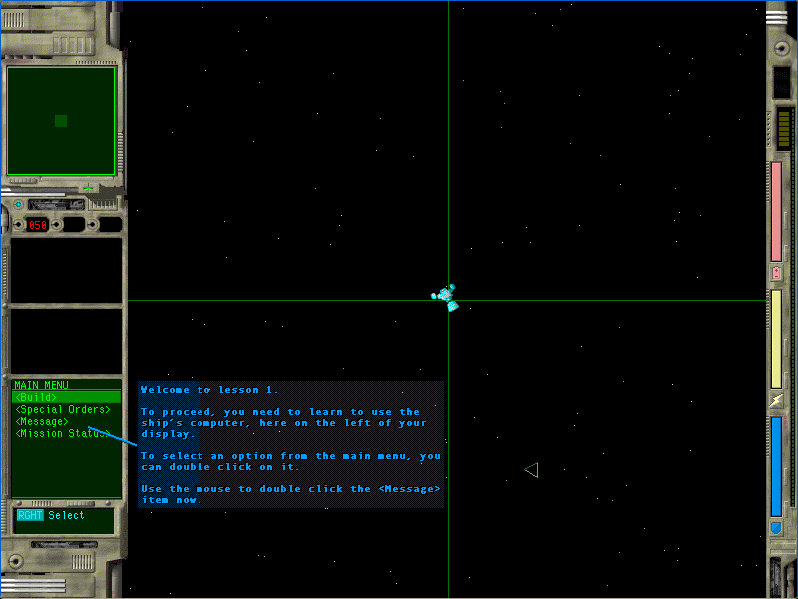
After the opening story, the menu offers Start New Game, Start Network Game, Replay Intro, Demo, Options and About. A new game begins with Tutorial Lesson 1 (its title is "Moons for Goons"), which walks you through using the ship's computer: the panel on the left of the screen, where you pick orders, send messages and check the mission status.
From there the campaign mixes flying and fleet command. You build ships, the game tells you when you cannot build more because too much is already in play, and you can bind hotkeys to jump to particular ships.
What 1.2.0 added
The release notes for version 1.2.0 list support for external scenario files (with an Open… button on the network setup screen), assignable ship hotkeys, clearer mission briefing graphics, and a fix for a beam-weapon bug that let an idle ship hit enemies at any range. The network game needs other Macs on a network, so it does not work here; the campaign does.
Questions people ask
How do I start?
Click past the opening story, then Start New Game. The first mission is a tutorial that teaches the ship's computer.
Is Ares real-time strategy or a space shooter?
Both. You command a fleet and build ships, and you fly one of them yourself.
Does network play work?
No. It needs other Macs on a network. The single-player campaign works.
Who made Ares?
Nathan Lamont, published as shareware by Ambrosia Software in 1999.
Is it legal to play here?
Ares is Ambrosia shareware, and its licence allows non-profit distribution as long as the software is unmodified and complete. This site is non-profit and carries no advertising.
Is my progress saved?
Inside the emulated Mac, in your own browser.
Put Ares on your own site
Free, no permission needed and no account. Paste this where you want the machine to appear; it brings its own emulator and asks nothing of your page.
<iframe src="https://macemu.com/embed/ares/"
        width="800" height="600"
        style="border:0;max-width:100%"
        allowfullscreen
        title="Ares"></iframe>
Sized to this title's real screen. How embedding works.